Kitchen Smart Homes
Ultimate Home Movie Night Setup: Sound, Screen and Snacks

You don’t need a dedicated cinema room for a great film night. A good home cinema setup comes down to three things: a big enough screen, sound that beats your TV’s built-in speakers, and fresh snacks. Here’s a simple timeline for putting it all together, from planning to the final credits.


5:30pm: Plan the Night

Pick the film first, then the room. Choose a space you can darken easily, because dim light helps whatever screen you use. Think about who’s watching, since a family afternoon needs different choices from a late film with friends.

If you’re inviting friends or family, agree on a start time and let everyone know whether snacks are provided, so nobody is hunting for food halfway through the opening scene.

Keep a short list of movie night essentials by the sofa: blankets, cushions, a large bowl for snacks, and somewhere to put drinks.

6:00pm: Sort the Screen

Your screen sets the scale of the whole evening. If you already have a TV, you’re nearly there: close the curtains and dim the lamps to cut reflections.

If you want a bigger, more cinematic picture, a projector and a 100 inch screen can beat a TV on size for the money, though it needs a darker room. Our projector vs TV guide compares both in detail.

Related articles

6:30pm: Fix the Sound

Sound is the biggest upgrade most TVs need. Slim modern sets have small speakers, so dialogue gets muddy and action scenes sound flat. Here are two simple fixes.

A soundbar. A soundbar UK shoppers can afford sits under the TV and gives clearer speech and fuller bass from a single cable. Majority is a UK budget brand with models at several price points. Check the connections before you buy: some have HDMI ARC, which lets your TV remote control the volume, while others use optical or Bluetooth only. Match the model to the ports on your TV.

“See the Majority Soundbar’s current price”

A step-up speaker. If you care more about sound quality than the lowest price, a Polk speaker is worth a look. Polk Audio has been making home speakers since the 1970s, and its range suits people who want richer sound for films and music.

“Check the Polk Speaker’s current price”

Something portable. For garden screenings or the bedroom, a compact Bluetooth speaker such as the UE Wonderboom 3 is popular. It’s waterproof, floats, and is rated for around 14 hours of playback. It won’t replace a soundbar for films, but it’s great for outdoor nights and pre-film playlists.

Placement matters. Put a soundbar directly below the screen, centred, and don’t tuck it inside a cabinet where the front is blocked. Place any speaker at roughly ear height when you’re seated. Start with the volume moderate, and use night or dialogue mode late in the evening if you share walls with neighbours.


7:30pm: Make the Snacks

Fresh popcorn makes the night. A hot-air popcorn maker like the Salter uses 1200W of hot air to pop kernels without oil, with batches ready in about three minutes. Salter says each plain cup is around 30 calories, which makes it a lighter option than many shop-bought bags.

A few tips:

  • Use a big, deep bowl, because popcorn can fly out with some force.
  • Pop in batches so everyone has a fresh bowl.
  • Take care when handling, since the machine gets hot.
  • Add toppings after popping: melted butter, a little salt, cinnamon sugar or cheese powder.

Popcorn doesn’t have to be the only snack. Set out a few bowls before the film starts, perhaps something sweet and something savoury, and keep drinks in a jug or cooler nearby. The aim is to have everything within reach so nobody needs to pause the film.

“Check the Salter Popcorn Maker’s current price”


8:00pm: Lights Down, Phones Away

Before pressing play, run through a quick checklist:

Keep the remote close, because someone always needs a pause.

Switch your TV to Movie or Cinema picture mode.

Turn off motion smoothing, which can make films look unnaturally fast.

Set your soundbar to its movie or dialogue mode.

Put phones on silent and dim the lights.

After the Credits: Keep It Ready

Store your gear in one place so the next film night takes minutes to set up. A spare drawer for cables, remotes and blankets, and a clear shelf for the popcorn maker, makes repeat nights effortless. Wipe down the machine once it has cooled and fold the blankets, so the next film night starts tidy.

Your Movie Night Essentials Checklist

  • Screen: a TV with the lights dimmed, or a projector with a 100 inch screen.
  • Sound: a soundbar or step-up speaker.
  • Snacks: fresh popcorn and a big bowl.
  • Comfort: blankets, cushions and drinks within reach.
  • Atmosphere: curtains closed, lamps low, phones silent.

Where to Spend Your Money First

If your budget is limited, spend in this order. Sound usually gives the biggest improvement per pound, because TV speakers are the weakest link in most living rooms. The screen comes next, especially if you want a bigger picture than your current TV. Snacks are the cheapest upgrade of all, and often the most fun.

Final Thoughts

The best home cinema setup is the one you’ll actually use. Start with whichever part would improve your evenings most: if the picture is fine but the sound is flat, begin with a soundbar. If you love the idea of a huge picture, look at a projector. And whatever you choose, freshly made popcorn never hurts. Movie nights work best when they feel easy, so build your setup gradually, add one upgrade at a time, and enjoy the improvement each step brings. Soon your living room will feel like a cinema.

Smart Homes
Projector vs TV: Which Is Better for Movie Nights at Home?

Short answer: for a dark-room movie night, a projector gives you a bigger, more cinematic screen for far less money. For daytime viewing, bright rooms and zero fuss, a TV wins. Here’s how they compare, round by round, so you can pick the right one for your own home.

The 30-Second Answer

Pick a projector if: you want a huge screen on a budget and can darken the room.

Pick a TV if: you watch in daylight and want to switch on and go.

“See the XuanPad Projector’s current price”

Round 1: Screen Size

Winner: projector. A projector can throw an image of 100 inches or more from a unit that fits on a shelf. A TV that size is rare and very expensive. If a cinema-style picture is the goal, nothing in the TV aisle competes at a sensible price.

Round 2: Brightness and Room Light

Winner: TV. A TV makes its own light, so it looks good at any time of day. A projector reflects light off a surface, so windows, lamps and pale walls wash the image out. The same projector can look stunning at 9pm and fade at 2pm.

One warning for budget buyers: many cheap projectors advertise huge “lumens” figures that mean little. Look for ANSI lumens, which is the standard measure, and check the native resolution. “4K supported” usually means the projector accepts a 4K signal, not that it displays one.

Round 3: Picture Quality

Winner: TV, narrowly. QLED and OLED TVs offer stronger contrast, deeper blacks and better HDR than most home projectors, especially cheaper ones. In a properly dark room, though, a decent projector looks impressively cinematic, and many people prefer the soft, film-like image.

Round 4: Cost

Winner: projector, for size. Cost per inch is where projectors shine. Moving from a 55 inch TV to a 100 inch projected image costs far less than buying a giant TV. You do need to budget for a screen and some speakers, but the total is still usually lower.

Round 5: Setup and Space

Winner: it depends. A TV is plug-and-play. A projector needs the right distance, focus and positioning, plus a screen or clear wall. In return, it’s portable, so it can move from the lounge to the bedroom or even the garden, and it leaves no big black rectangle on the wall when switched off.

Round 6: Sound

Winner: draw. Projector speakers are usually basic, and most TVs only sound fine for casual viewing. For real movie nights, plan on a soundbar or speaker either way.

The Scorecard

  • Projector wins: screen size and cost per inch.
  • TV wins: brightness and picture quality.
  • Depends on you: setup and sound.

Which Should You Choose by Room?

  • Living room with big windows: a TV. Daylight will fight any budget projector.
  • Bedroom or spare room you can darken: a projector is ideal, and it takes up almost no space.
  • Small flat: a projector can double as your TV and your cinema, as long as you have one clear wall.
  • Family room used all day: a TV, so everyone can watch without closing the curtains.

Building a Home Cinema Setup in the UK

If you choose a projector, a few extras matter as much as the projector itself.

Get a screen. A 100 inch projector screen gives a flatter, more even surface than most walls, which improves contrast and edge sharpness.

Check the throw distance. UK living rooms are often compact, so confirm how far back the projector needs to sit to fill 100 inches. It varies by model, but expect a few metres.

Control the light. Blackout curtains or blinds improve the picture more than a pricier projector would.

Add sound. Even a small soundbar or Bluetooth speaker transforms a home cinema setup UK budget.

“Check the current price of the Projector Screen 100 inch”

Common Projector Mistakes to Avoid

  • Trusting the lumens number. Headline figures are often inflated, so check ANSI lumens.
  • Skipping the screen. A textured wall can soften the image and hide detail.
  • Ignoring fan noise. Cheaper models can be noisy in a quiet room, which matters during dialogue.
  • Forgetting sound. Built-in speakers rarely do a film justice.
  • Buying without measuring. Check the distance to your wall before ordering.

What About a Bigger TV Instead?

If you can’t darken your room, a larger TV or a much brighter, more expensive projector is the safer route. Many households keep a TV for everyday viewing and use a projector only for occasional movie nights, which is a sensible middle ground.

One More Thing: How You Actually Watch

Think carefully about your viewing habits before you buy. If you watch short episodes and news most days, a TV will serve you better because it’s instant and effortless. If you save films for weekends and love the occasion of a big picture, a projector turns an ordinary evening into something special. Be honest about which sounds more like you, because the best choice is the one you’ll actually use.

Final Verdict

For dedicated movie nights, a projector and a 100 inch screen offer unbeatable screen size for the money. For everyday, all-light viewing, a TV is simpler and safer. Neither is better in every situation, so match the choice to your room, your budget and your habits. If you’re still undecided, start with the room: if you can darken it easily, try a projector first.

Best for: movie fans with a darkened room who want a cinema feel on a budget. Skip it if: you mostly watch in daylight, want zero setup, or won’t add a screen and some sound.

“Compare the XuanPad Projector and 100 inch screen“

Related guides:
https://houseappliancespro.co.uk/2026/10/samsung-55-inch-tv-review/

Smart Homes
Samsung 55 Inch Smart TV Review: Best Mid-Range TV for UK Homes?

Short answer: The Samsung 55 inch TV in its Crystal UHD range is a great-value, easy-to-live-with smart TV for everyday viewing, but it’s closer to a budget TV than a true mid-ranger. If you mostly watch Netflix, iPlayer and live TV, it does the job well for the money. If picture quality is your priority, you’ll want to step up to a QLED model.

Quick Verdict

Who it’s for: households wanting a big, simple, good-value 4K smart TV. Who it isn’t for: film fans, bright-room viewers and serious gamers who want punchy contrast and brightness. Main advantage: Samsung’s easy smart platform, strong app selection and a low price for the screen size. Main downside: basic picture performance, with limited peak brightness and no local dimming.

“Check the current price of the Samsung Smart TV 55 Inch”

Key Specifications at a Glance

FeatureSamsung 55″ Crystal UHD
Resolution4K UHD
ProcessorCrystal Processor 4K
HDRHDR10+
Smart platformTizen, with a large app library
Free TVSamsung TV Plus built in
GamingGaming Hub, basic gaming features
Smart assistantsAlexa and Bixby support
PositioningEntry-level range

What You Need to Know

Samsung’s 55-inch Crystal UHD line (recent examples include the U8000H, U8020H and U7020H) sits at the entry level of its lineup. That’s worth knowing before you buy, because these sets don’t use quantum dots or local dimming, the two technologies that give pricier Samsung TVs their richer colour and deeper blacks. You’re paying for a big, sharp 4K screen and a polished smart platform, not premium picture tech.


Real-World Benefits and Drawbacks

What works well

  • Easy setup. Owners consistently describe getting from box to watching in minutes.
  • Smart platform. The Tizen interface has most major UK streaming apps, plus free channels through Samsung TV Plus.
  • Everyday picture. In normal lighting, 4K upscaling and HDR10+ support give a clean, sharp image for streaming and sport.
  • Slim design. The stand legs sit further in, which helps on narrower TV units.

Where it falls short

Sound: Fine for casual viewing, but a soundbar is worth budgeting for if you watch films.

Brightness and contrast: Independent testing of the 2026 U8000H found low peak brightness and raised blacks, so dark rooms can look washed out and bright rooms can overwhelm it.

Gaming: Basic features only, so it won’t make the most of the latest consoles.

Speed and remote: A few owners report a slightly slow interface and an underwhelming remote.

“See current Samsung 55 inch TV deals”

Who Is This Best For?

  • Family living rooms: simple to use, with all the usual apps built in.
  • Bedrooms and second TVs: big screen without a big price.
  • Casual streaming and live TV: where picture perfection isn’t the priority.
  • First smart TV buyers: an easy, familiar interface from a trusted brand.

Alternatives to Consider

If the “mid-range” in your search means better picture quality, look at Samsung’s QLED range, which adds quantum dot colour and noticeably higher brightness for a higher price. If you want to spend less, smaller Crystal UHD sizes keep the same smart features at a lower cost. Either way, the same basic questions apply: how bright is your room, and how much do you watch in the dark?

Is It Worth Buying? Final Verdict

As an affordable, easy 55-inch smart TV for everyday UK viewing, it’s a sensible buy. As a “best mid-range TV”, it’s not quite there, and it’s better to be clear on that than to expect more than it delivers.

Best for: everyday streaming, family rooms and anyone wanting a trusted brand at a low price. Skip it if: you watch lots of films in dark rooms, game on the latest consoles, or want a bright, punchy picture.

“Check the latest price on the Samsung Smart TV 55 Inch”

Smart Homes
How to Build a Smart Home on a Budget: Bulbs, Locks and Alarms

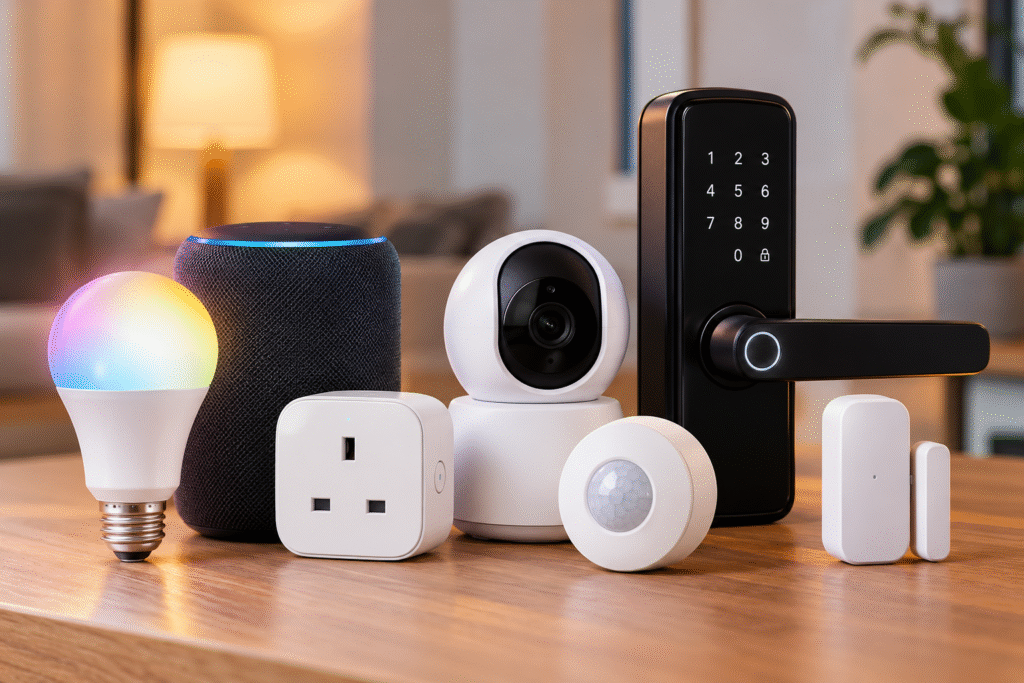
You don’t need a five-figure installation to make your home genuinely smarter. A smart home on a budget really comes down to three building blocks: lighting, access, and security  and you can cover all three without spending anywhere near what the glossy showroom demos suggest. Here’s how to build it up piece by piece, starting with whichever one solves your most immediate problem.
The Three Building Blocks of a Budget Smart Home

Most smart home starter kits fall into one of three categories, and you genuinely don’t need all three at once:

  • Lighting  the easiest, cheapest entry point, usually just a bulb swap
  • Access  smart locks that upgrade your existing door without replacing it
  • Security  alarms and sensors that watch your home when you’re not there

Start with whichever one actually solves a problem you have today, rather than buying all three because a bundle looks good.

Lighting: Smart Bulbs

This is the cheapest, lowest-commitment way into a smart home, and it’s where most people start. A Philips smart bulb screws straight into an existing fitting with no rewiring, no electrician  and gives you app and voice control over brightness, colour, and scheduling in minutes. Set lights to turn on automatically at sunset, dim gradually before bed, or switch to a warm tone for movie nights, all from your phone or by asking Alexa or Google Assistant.
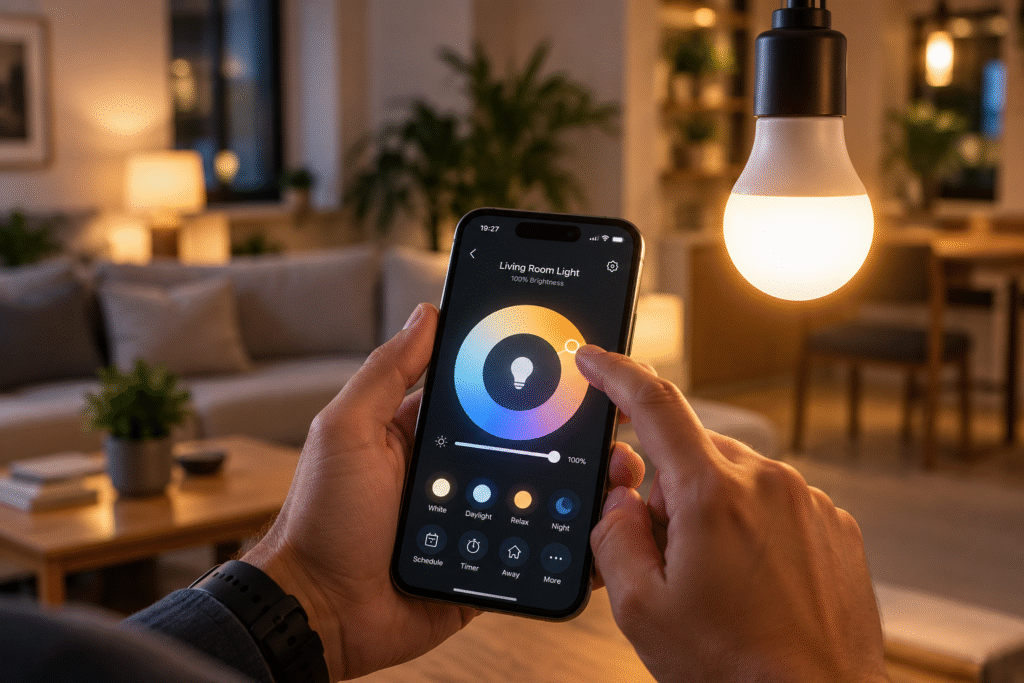
Because it’s just a bulb, it’s also the lowest-risk way to test whether you’ll actually use smart home features day to day before committing to anything that needs proper installation.
“Check the Philips LED Smart Bulb’s current price”

Access: Smart Locks

Once lighting feels second nature, a smart lock is usually the next logical step  and it doesn’t have to mean replacing your entire front door hardware. Retrofit options like the SwitchBot Lock fit over your existing deadbolt’s thumb turn, using a small motor to lock and unlock it without modifying the lock itself. That makes it genuinely renter-friendly: you keep your original keys working as a backup, and nothing about the physical lock changes.

Setup typically takes a few minutes with adhesive mounting, no drilling required, and it connects over Bluetooth, with an optional hub and keypad if you want remote access and voice control through Alexa or Google Assistant. For anyone comparing a smart lock UK option that won’t upset a landlord or void a tenancy agreement, this retrofit approach is usually the safest starting point.

“See the SwitchBot Lock’s current price”

Security: Smart Alarms

The final piece is whole-home monitoring, and this is where a kit like the Yale IA-320 comes in. Rather than a single device, it’s a self-contained alarm system: a hub, keypad, two motion sensors, a door/window contact sensor, and both indoor and outdoor sirens, all controllable through one app. It connects to Alexa and Google Assistant, covers a genuinely large 200-metre range (useful if you want to extend coverage to a garage or outbuilding), and runs with no mandatory subscription; everything is self-monitored through the app rather than routed through a paid monitoring service.
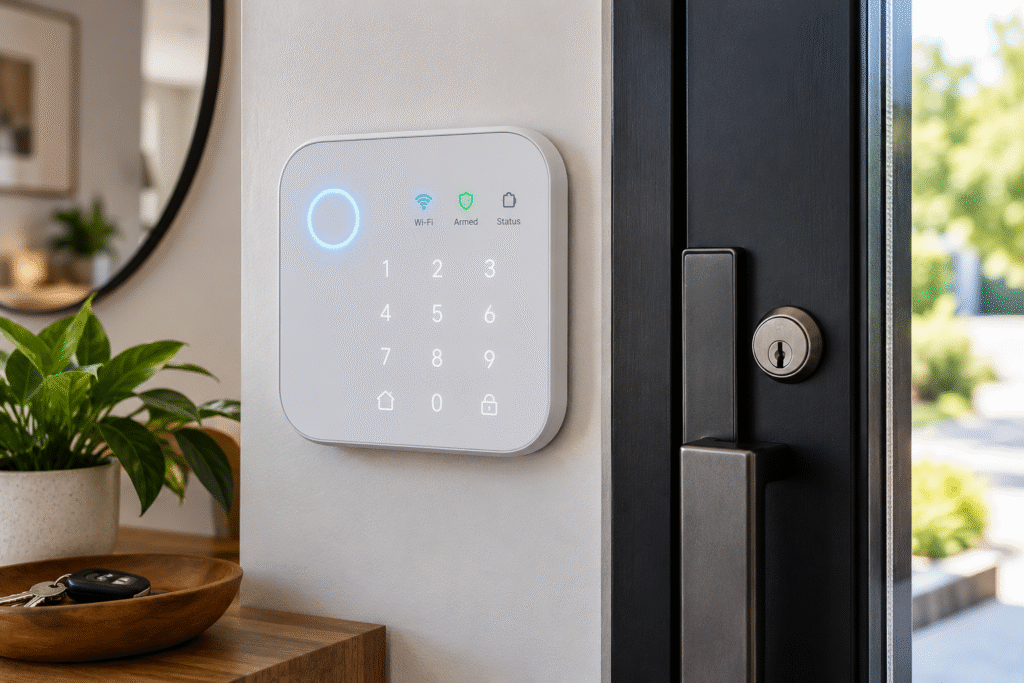
The trade-off is setup: with more components to pair and position than a single bulb or lock, it takes more patience to get right, and there’s no cellular backup if your Wi-Fi goes down. But for whole-home coverage without an ongoing monthly fee, it’s hard to beat on value.
“Check the Yale IA-320’s current price”

Building It Into a Starter Kit

If you’re building a genuine smart home starter kit rather than buying devices one at a time, a sensible order looks like this: start with bulbs to get comfortable with app and voice control, add a smart lock once you trust the ecosystem, then layer in an alarm kit for full coverage. All three of the products above work with both Alexa and Google Assistant, so you’re not locked into a single platform as you expand  a genuinely important detail, since mixing brands later is far easier when everything speaks the same smart home language from the start.

CategoryEntry PointWhat You Get
LightingSingle smart bulbApp/voice control, scheduling, no installation
AccessRetrofit smart lockKeyless entry, renter-friendly, keeps existing keys
SecuritySelf-monitored alarm kitMotion + contact sensors, sirens, no subscription

Final Thoughts

A genuinely useful smart home doesn’t require buying everything at once; it’s built in layers, starting with whatever solves your most immediate problem. A smart bulb gets you started for the price of a takeaway, a retrofit lock adds real convenience without upsetting a landlord, and a self-monitored alarm kit rounds things out with whole-home coverage and no ongoing fees. Add them in that order, on your own timeline, and you’ll end up with a setup that actually gets used which is the real measure of whether a smart home was worth building in the first place.

FAQ

What’s the cheapest way to start a smart home? A single smart bulb is the lowest-cost, lowest-commitment entry point  a Philips smart bulb screws into an existing fitting with no installation needed, giving you app and voice control in minutes.

Is a smart lock UK renters can actually use? Yes, provided you go for a retrofit model like the SwitchBot Lock, which fits over your existing deadbolt’s thumb turn without modifying the lock itself, so your original keys still work and nothing changes for your landlord or tenancy agreement.

Do I need a subscription for the Yale IA-320? No, the Yale IA-320 is self-monitored through its app, with no mandatory ongoing subscription, though it does lack cellular backup if your Wi-Fi connection drops.

What should be in a smart home starter kit? A sensible starter kit covers the three core categories: a smart bulb for lighting, a retrofit smart lock for access, and a self-monitored alarm kit for security  added in that order as your confidence and budget grow.

Do these devices work together across brands? Yes, the Philips bulb, SwitchBot Lock, and Yale IA-320 all support Alexa and Google Assistant, so you’re not locked into a single ecosystem as you add more devices over time.
Smart Homes
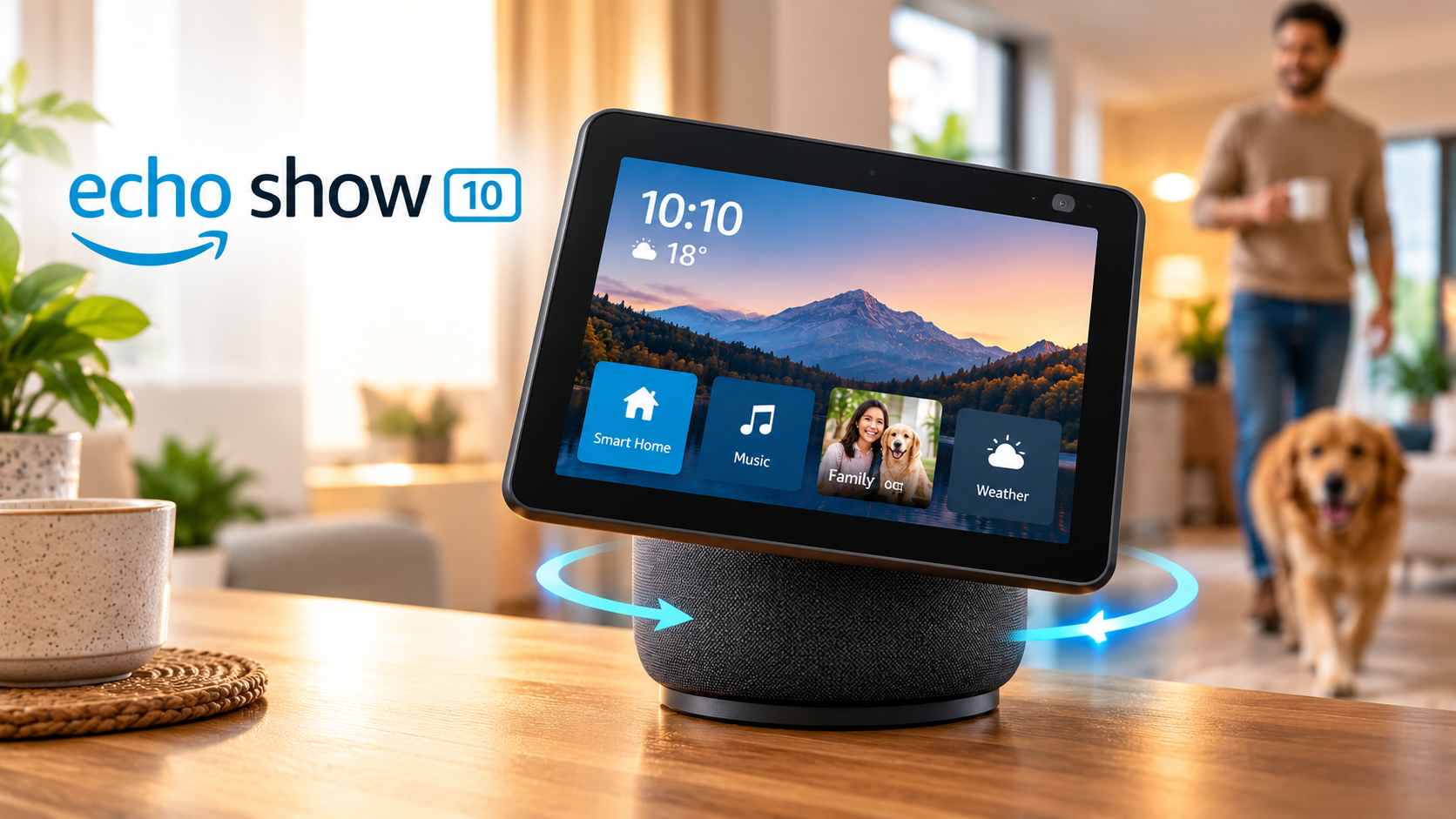
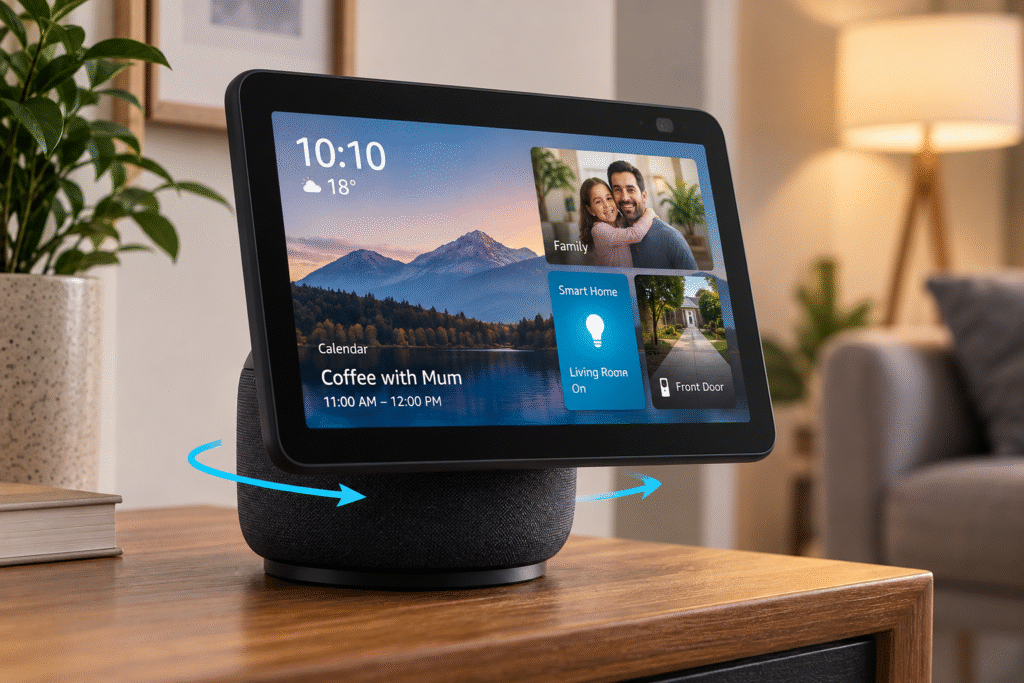
Echo Show 10 Review: The Smart Display That Follows You Around

If you’re searching for the Echo Show 10, here’s what you need to know before anything else: Amazon discontinued it in 2026, so it’s no longer available to buy new. What follows is the story of what made it special, and more usefully  which currently available Echo device to buy instead, depending on what you were actually after.

The Story Behind the Spin

When the third-generation Echo Show 10 launched in 2021, it did something no other smart display had really tried: it moved. A motorised base, paired with a 13MP camera and auto-framing technology, let the whole 10.1-inch screen physically rotate up to 350 degrees to keep you centred  on a video call, following a recipe while you cooked, or just walking across the room. It wasn’t cheap, launching around £249, well above the rest of the Show lineup, but the engineering behind it was genuinely impressive, and paired with dual tweeters and a 3-inch woofer, it was a capable speaker in its own right too.

It’s exactly that ambition that seems to have led to its retirement. The motorised base added cost, bulk, and complexity that Amazon’s current display strategy  built around simpler, flatter screens across the Show 5, Show 8, and Show 11 has quietly moved away from. Remaining stock sold off through clearance, and by 2026 it had disappeared from Amazon’s official lineup entirely.

What People Actually Loved (and Didn’t) About It

The rotation genuinely solved a real problem: not having to manually reposition the device during a call or while cooking was a small convenience that became hard to live without once you’d used it, and reviewers consistently praised the audio quality for a device in its category. The drawbacks were just as real, though: it was considerably bulkier and heavier than a standard smart display, priced well above comparable non-rotating screens, and the always-tracking camera made some buyers uneasy, physical privacy shutter or not.

Then vs Now: What to Buy Instead

Since the Echo Show 10 itself can’t be bought new anymore, the right replacement depends entirely on which part of it you actually wanted:

Echo Show 8Echo Dot 5th Gen
Screen8-inch displayNo screen
RotationNoN/A
Best forVideo calls, recipes, visual Alexa useVoice control, music, smart home hub
PriceMid-rangeBudget
Replaces the Show 10’s…Screen and video callingAlexa assistant itself

If it was the screen you wanted, video calls, recipes, visual responses from Alexa the Echo Show 8 is the closest practical match, just without the motorised rotation, and at a noticeably lower price than the Show 10 ever carried. If it was really Alexa herself you were after, and the screen was just a bonus, the Echo Dot 5th Gen gives you the same voice assistant and smart home hub capability in a far smaller, cheaper device.

“See the Echo Show 8’s current price”

Which One Should You Actually Buy?

Specifically set on the rotating, follow-you-around feature itself? Nothing currently in Amazon’s lineup replicates it; a secondhand or refurbished Show 10 is genuinely your only route there.

Want a screen for calls and recipes, without paying extra for a discontinued feature? Go with the Echo Show 8.

Just want solid Alexa voice control and smart home integration? Go with the Echo Dot 5th Gen.

“Check the Echo Dot 5th Gen’s current price”

Final Verdict

The Echo Show 10 was a genuinely clever piece of engineering and one of the more memorable features Amazon has shipped in a smart display  but it’s gone, and chasing it secondhand only makes sense if the rotation itself was the whole point for you. For almost everyone else, the practical choice comes down to the Echo Show 8 or Echo Dot 5th Gen.

Best for: anyone researching the Echo Show 10 who needs a currently buyable alternative the Show 8 for the screen, the Dot for voice-only. Skip it if: you’re set on the rotating feature specifically no current device replicates it.

“Compare the Echo Show 8 and Echo Dot 5th Gen“

Smart Homes
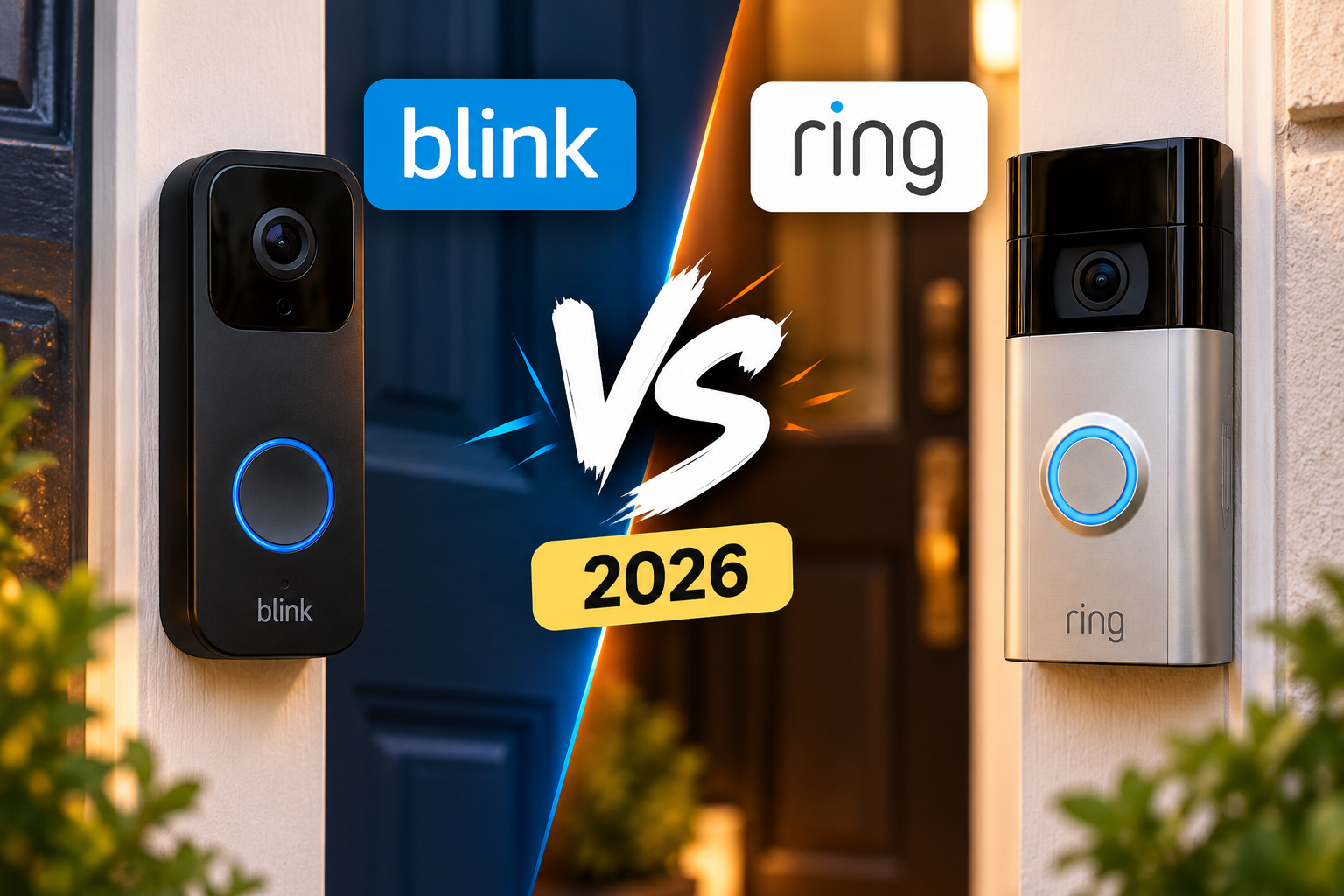
Blink Doorbell vs Ring Doorbell (2026): Which Video Doorbell Is Really Worth Buying?

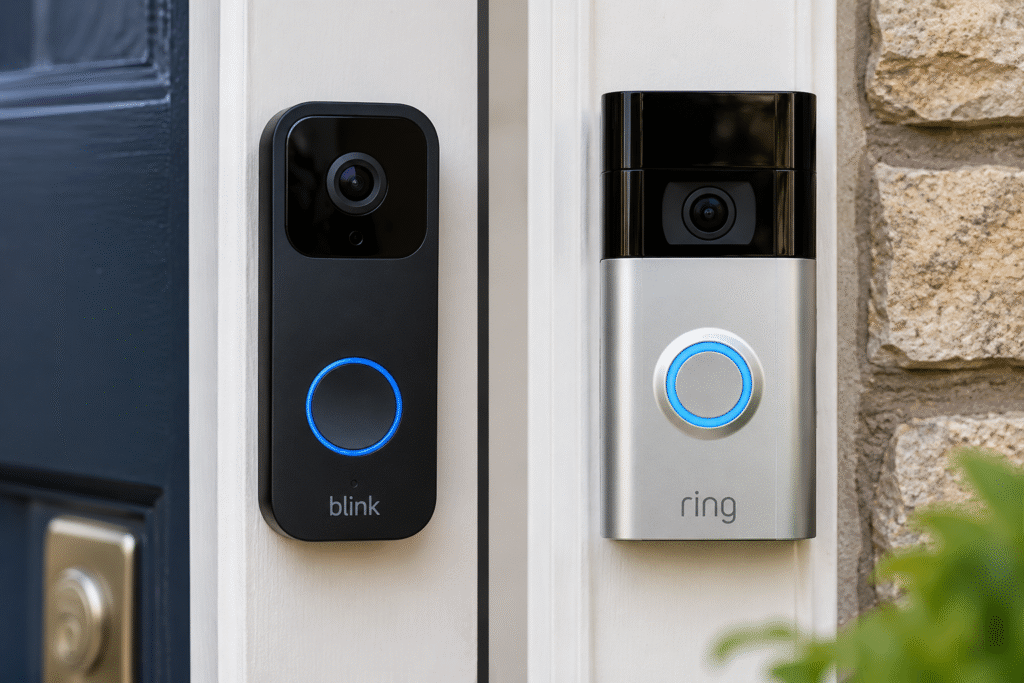
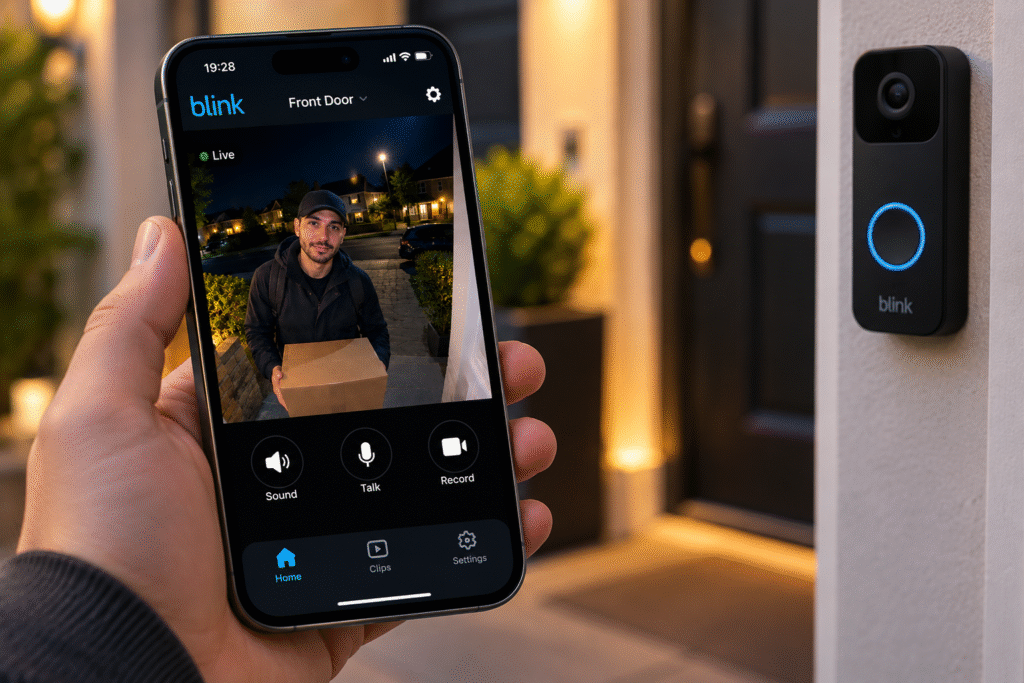
Both owned by Amazon, both instantly recognisable, and both constantly recommended in the same breath, Blink and Ring have become the default answer to “which video doorbell should I buy?” But they’re not interchangeable. Here’s how the Blink Doorbell actually compares to Ring’s equivalent model, so you can pick based on what you actually need rather than which one shows up first in search.

Quick Comparison

Blink Video DoorbellRing Battery Doorbell
ResolutionUp to 2K (1440×1440)1536p HD (1440×1440)
Night visionInfraredColour night vision
Field of view150 degrees150 x 150 degrees
Power2–3 AA batteries, up to 2 yearsRechargeable battery pack, ~6–12 months
SetupRequires Blink Sync ModuleStandalone Wi-Fi, no extra hub
EcosystemAlexa, Blink camerasAlexa, wider Ring smart home range
Price positioningBudgetMid-range

Video Quality and Night Vision

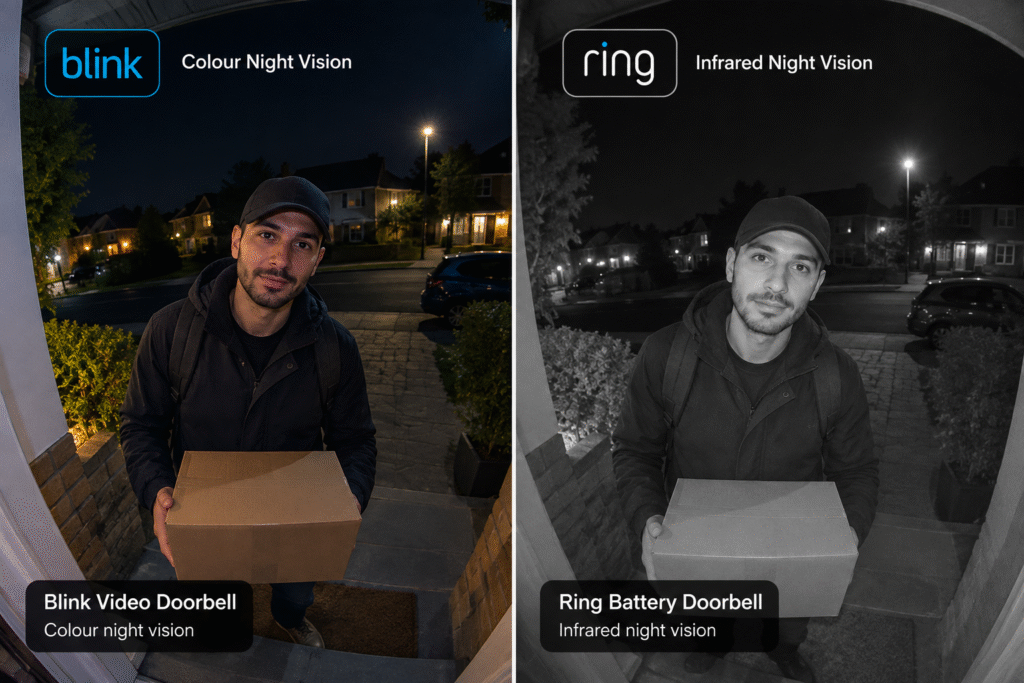
Both doorbells film at a similar resolution, so daytime footage looks comparably sharp on either. Where they genuinely differ is after dark: the Ring Battery Doorbell offers colour night vision, meaning footage after sunset still shows actual colours rather than the black-and-white infrared image the Blink Video Doorbell produces. If you specifically want to identify a visitor’s clothing or a car colour at night, that’s a real practical advantage for Ring.

Battery Life and Power

This is where the Blink video doorbell pulls ahead decisively. Running on standard AA batteries, it’s rated for up to two years of use before needing a change to a genuinely low-maintenance setup. The Ring Battery Doorbell uses a rechargeable battery pack instead, which typically needs recharging somewhere between every six and twelve months depending on how much activity it detects, meaning more frequent trips up a ladder to unclip and recharge it. If you’d rather not think about your doorbell’s power for years at a time, Blink has the clear edge here.

Setup and Ecosystem

Setup complexity differs more than most buyers expect. The Blink Video Doorbell needs a Blink Sync Module plugged in indoors to unlock its full feature set and connect smoothly with other Blink devices, an extra step, though a one-time one. The Ring Battery Doorbell, by contrast, connects directly to your home Wi-Fi with no additional hub required, making it marginally simpler to get running out of the box.

Where Ring pulls ahead long-term is ecosystem breadth. If you’re thinking beyond just doorbell  motion sensors, alarm systems, indoor cameras, Ring’s wider smart home range gives you more to expand into later. Blink’s lineup is comparatively focused, built mainly around simple, affordable blink camera options for doorbell and basic outdoor security rather than a full smart home security system.

Price and Subscription Costs

Blink consistently positions itself as the budget option, and the doorbell reflects that  it’s the more affordable choice upfront. Ring’s battery doorbell costs more, but the difference reflects its extra features: colour night vision, a more polished companion app, and deeper integration with the rest of a Ring-based smart home setup. Both brands save video clips behind a monthly subscription; live view works without one on either device, but if you want clips stored and reviewable later, budget for that ongoing cost regardless of which you pick.

For anyone specifically comparing a Ring doorbell UK listing against Blink, it’s worth checking current pricing directly, since both brands run frequent discounts that can shift the value equation significantly from list price.

Which Should You Buy?

Here’s the honest breakdown by priority:

  • Want the lowest-maintenance option and don’t want to think about batteries for years? Blink wins on battery life alone.
  • Want the clearest possible night-time footage? Ring’s colour night vision is the more useful real-world feature.
  • Planning to build out a full smart home security system later? Ring’s broader ecosystem gives you more room to grow.
  • Just want a simple, affordable doorbell camera and nothing more? Blink’s simpler, cheaper setup does the job without overcomplicating things.
  • Want the easiest possible setup with no extra hub? Ring’s standalone Wi-Fi connection is marginally simpler out of the box.

Our Picks

Best budget, low-maintenance pick — Blink Video Doorbell Two years of battery life, straightforward setup, and a genuinely affordable price point make this the sensible choice for anyone who just wants reliable doorbell coverage without the extras. “Check Price”

Best for video quality and smart home growth — Ring Battery Doorbell Colour night vision and a wider ecosystem to expand into make this the stronger pick if you want the best footage quality and room to build out a fuller smart home security setup later. “Check Price”

The Bottom Line

Neither doorbell is objectively better; they’re built around different priorities. The Blink Video Doorbell wins on simplicity, battery life, and price. The Ring Battery Doorbell wins on night vision quality and long-term smart home flexibility. If you’re only looking for dependable front-door coverage without ongoing maintenance, Blink is the easy recommendation. If picture quality and future expansion matter more to you than upfront cost, Ring earns the extra spend.


Smart Homes
Do Air Purifiers Actually Work? What the Science Says

Air purifier marketing loves big promises “removes 99.9% of allergens,” “clinically proven,” “doctor recommended.” But strip away the marketing copy and ask a simpler question: does the actual research back any of this up? We went looking for what the science genuinely says about air purifiers, rather than what the box claims, so you can decide if one is actually worth buying.

What Air Purifiers Actually Do

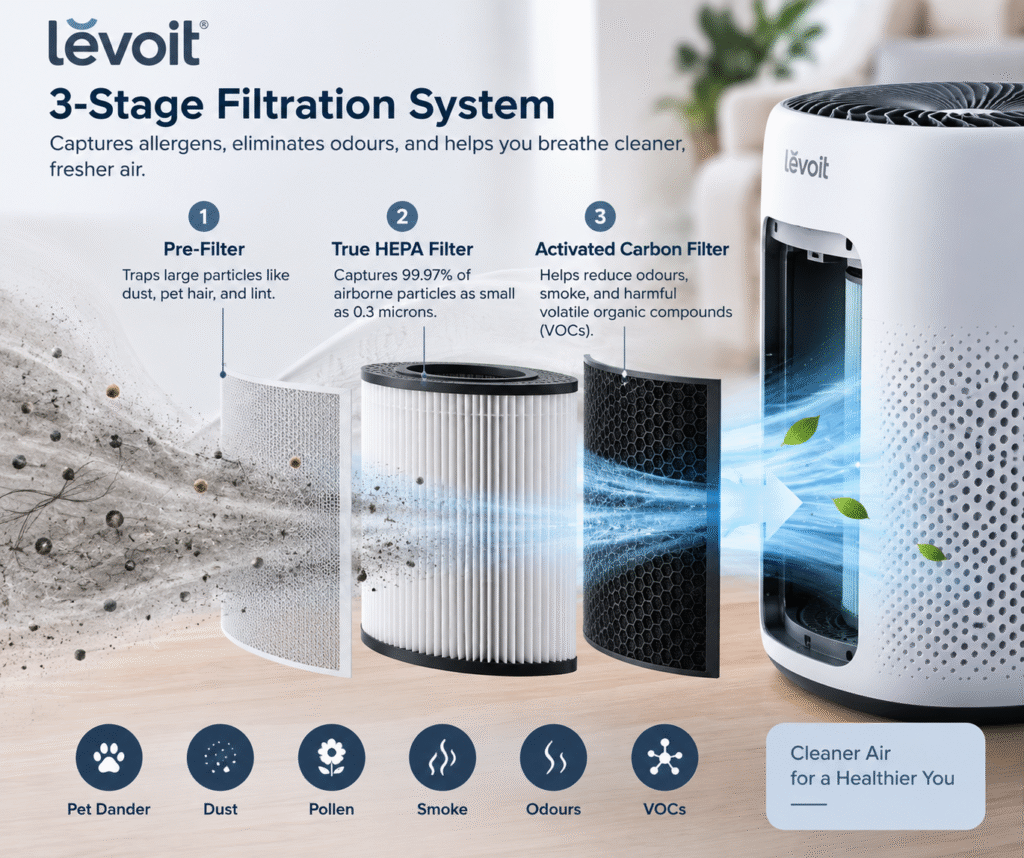
Strip away the branding and most air purifiers work on a simple mechanical principle: pull air through a filter fine enough to trap particles, then push clean air back out. The gold standard here is the HEPA filter, which the U.S. The Environmental Protection Agency defines it as capable of trapping at least 99.97% of airborne particles as small as 0.3 microns, a size range that covers most dust, pollen, pet dander, and even many bacteria and mold spores. That’s not a marketing number; it’s a genuine engineering standard, which is why “True HEPA” certification matters more than a purifier simply claiming “HEPA-style” filtration.

The Evidence for Asthma

This is where the research is strongest. In a review of multiple studies, the EPA found statistically significant improvement in respiratory health and allergy or asthma symptoms linked to air cleaner use. One 2023 study published in the Journal of Asthma placed HEPA air cleaners in school classrooms and found measurable lung function improvements in some students with asthma compared to classrooms without them. Dust mites are a particularly relevant trigger here  research suggests that between 30% and 60% of children with asthma are sensitised to them, which is part of why reducing airborne particle load can genuinely help.

Air Purifier Benefits for Allergies: What’s Actually Proven

The honest picture on air purifier benefits for allergies is more nuanced than most product pages suggest. A 2020 analysis of studies involving people with allergic asthma found that air purifiers improved quality of life and reduced airway inflammation with genuinely positive results. But the same analysis found no consistent improvement in day-to-day symptoms, lung function, or medication use. In plain terms: purifiers can measurably help how people feel and reduce inflammation markers, without necessarily eliminating sneezing fits or letting you skip your antihistamine.

For specific allergens, the evidence gets more mixed. A widely cited 2010 study found HEPA filters may be effective for removing pet allergens specifically in uncarpeted rooms, or when combined with HEPA vacuuming on carpeted floors. However, a Cochrane review, one of the most rigorous forms of scientific evidence,  concluded the evidence isn’t strong enough to confidently recommend air purifiers where pets live in the home of someone with a pet allergy. Dust mites and mold present a similar story: purifiers aren’t reliably effective at removing them directly, since these particles often settle into fabric and carpet rather than staying airborne, though reducing general airborne particulates can still offer some symptom relief.

Where the Evidence Is Weaker

It’s worth being upfront about the limits here, since a genuinely evidence-led answer has to include them. Air purifiers primarily clean airborne particles  they do nothing for allergens already settled in carpets, bedding, or upholstery, which is why organisations like the American Academy of Allergy, Asthma, and Immunology are clear that purifiers are only one piece of a broader strategy. Ventilation, regular cleaning, and reducing allergen sources at home all still matter, arguably more than the purifier itself in isolation.

So, Are Air Purifiers Worth It?

Based on the actual research, the honest answer is: yes, but as a supplement, not a cure. The evidence is genuinely strong for reducing airborne particulate matter and supporting people with asthma, reasonably solid for general allergy symptom relief and quality of life, and weaker specifically for allergens that settle rather than stay airborne, like dust mites and pet dander in carpeted rooms. If you’re expecting a purifier to eliminate allergies entirely, the science doesn’t support that. If you’re expecting it to meaningfully reduce your airborne allergen load and support easier breathing alongside good ventilation and regular cleaning, that’s exactly what multiple independent reviews back up.

What to Look For If You Want the Proven Benefits

If the goal is genuinely getting the science-backed advantages rather than just a nice-looking device, a few things matter more than brand names: look for certified True HEPA filtration rather than vague “HEPA-style” claims, match the unit’s clean air delivery rate (CADR) to your actual room size rather than assuming bigger numbers always help, and run it consistently rather than only when you remember to, since the research behind these benefits assumes regular, ongoing use.

For smaller rooms, specifically bedrooms, nurseries, home offices  a compact, quiet purifier tends to get used more consistently than a bulky unit people switch off because it’s noisy or in the way.

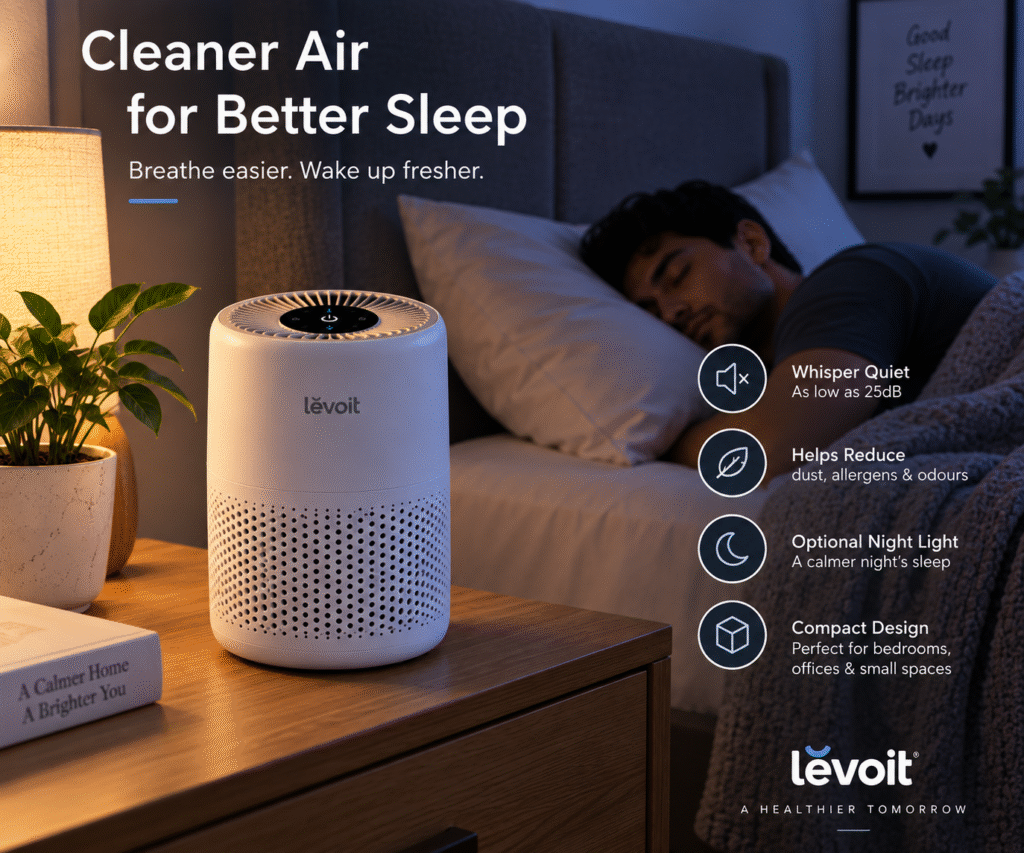
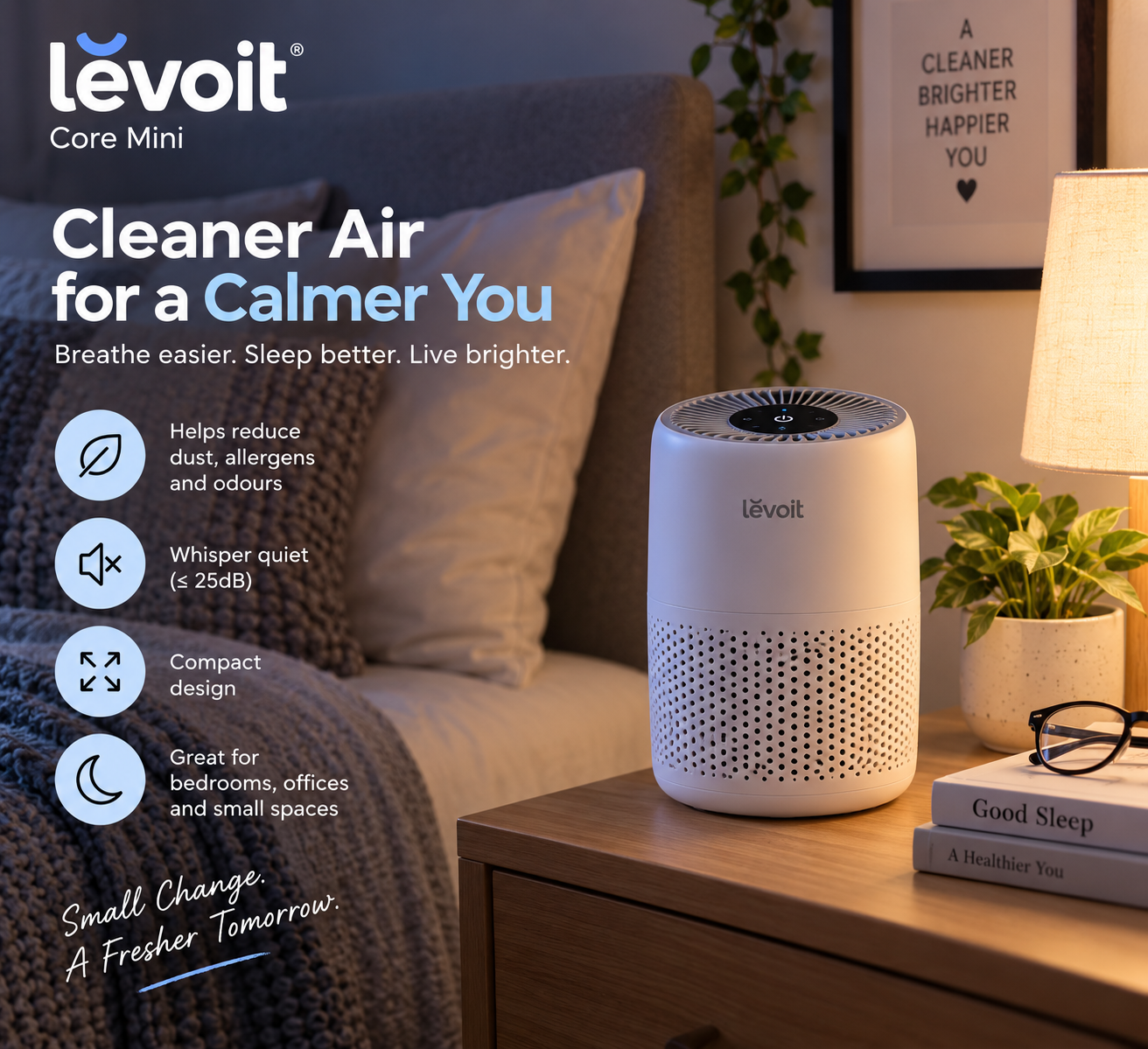
The Levoit Core Mini is a solid example of this approach: proper multi-stage filtration sized appropriately for small spaces, quiet enough to run overnight without a second thought.

“See the Levoit Core Mini”

The Bottom Line

Air purifiers aren’t snake oil, but they aren’t a miracle cure either. The genuine, research-backed benefit is a measurable reduction in airborne particulates that can support easier breathing, particularly for asthma, when used consistently and as part of a broader approach to indoor air quality  not as a replacement for it. If you or a family member have a diagnosed respiratory condition, it’s worth discussing indoor air quality strategies with a doctor alongside any purifier purchase, since individual triggers and needs vary considerably.

Smart Homes
Levoit vs Philips Air Purifiers: Which Brand Should You Trust?

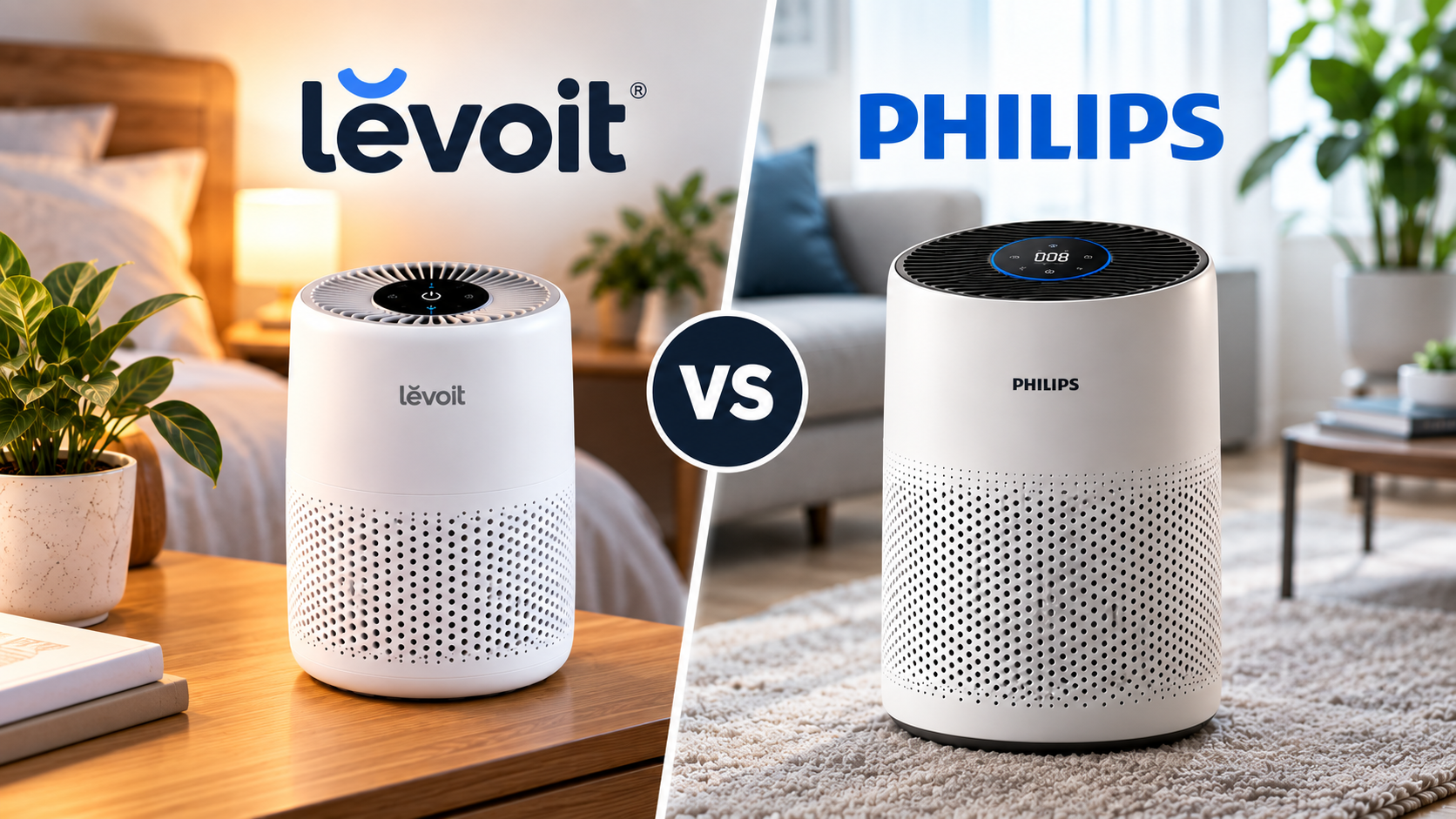
Type “best air purifier” into Google and two names dominate the results again and again: Levoit and Philips. Both have loyal followings, both show up constantly in comparison articles, and both genuinely make good products  which is exactly why picking between them can feel harder than it should. Here’s how the two brands actually differ, so you can decide which philosophy fits your home rather than just picking whichever one ranks higher on a random “best of” list.

Two Very Different Philosophies

The clearest way to understand the difference between these brands isn’t spec-by-spec, it’s philosophy-by-philosophy. Philips positions itself as the premium, engineering-led option: proprietary NanoProtect filtration, real-time AeraSense air quality sensors that actually detect PM2.5 particles as they happen, and a general focus on advanced performance for buyers who want the best technology available and are willing to pay for it.

Levoit, by contrast, built its reputation on value. As a direct-to-consumer brand, it’s able to offer strong, genuinely capable filtration  including True HEPA filters on several of its models  at a noticeably lower price point than Philips’ equivalent tiers. It’s the brand for buyers who want reliable, no-nonsense clean air without paying a premium for extras they might not use.

Neither approach is objectively “better”  ; they’re built for different buyers, which is really the whole point of this comparison.

Price and Value

This is where the gap between the two brands is most obvious. Philips models routinely cost noticeably more than a comparable Levoit unit with similar coverage  in some direct comparisons, a Philips model has been priced more than double an equivalent Levoit for a similar-sized room. That premium buys you Philips’ sensor technology and brand engineering, but if pure value-for-money is your priority, Levoit consistently comes out ahead on that specific metric.

Filtration and Performance

Both brands use multi-stage filtration, a pre-filter, a main filtration stage, and an activated carbon layer for odours  but the details matter. Philips’ NanoProtect filters are proprietary and, on many models, don’t carry official “True HEPA” certification despite strong real-world performance in independent testing. Several Levoit models, on the other hand, do use certified True HEPA filters, which can matter if you’re specifically shopping for allergy or asthma relief and want that certification as reassurance.

On raw clean air delivery rate (CADR), Philips’ higher-tier models tend to edge out comparably priced Levoit units, particularly for larger rooms  the trade-off being, again, a higher price for that extra performance headroom.

Smart Features and App Control

Both brands offer app-connected models, but they take slightly different approaches. Philips’ higher-end units lean on their built-in air quality sensors to automatically adjust fan speed in real time, which is a genuinely useful hands-off feature. Levoit’s app (VeSync) covers scheduling, fan speed control, and filter-life tracking across a wide range of models, including budget ones  meaning you don’t have to buy Levoit’s most expensive unit to get decent smart features, which isn’t always true of Philips’ range.

Noise Levels

Independent testing tends to show both brands performing similarly at low-to-mid fan speeds, with real differences only showing up at max speed, where raw airflow inevitably gets louder regardless of brand. Neither brand has a clear, consistent edge here; it varies more by specific model than by brand overall, so this one’s worth checking on a model-by-model basis rather than assuming either brand is quieter across the board.

Product Range and Availability

Levoit has one of the widest product ranges in the affordable air purifier space, covering everything from compact single-room units to larger models built for open-plan spaces, all sold primarily online. Philips’ range spans a similarly broad set of room sizes, but with pricing that climbs more steeply as coverage and features increase, and wider availability through traditional electronics retailers alongside online marketplaces.

Which Brand Should You Trust?

Here’s the honest breakdown by priority:

  • Want the best value for a small-to-medium room? Levoit wins  strong filtration, often True HEPA, at a lower price.
  • Want the most advanced sensor tech and are willing to pay for it? Philips wins  real-time air quality sensing and higher CADR on premium models.
  • Shopping for a best air purifier UK pick on a tight budget? Levoit’s range gives you more capable options at accessible price points.
  • Purifying a larger, open-plan space and performance matters more than price? Philips’ higher-tier models generally have the edge on raw CADR.
  • Want smart features without paying for a flagship model? Levoit spreads app control across more of its range, including budget units.

“Read our full Levoit Core Mini review”

The Bottom Line

Both Philips and Levoit ranges are trustworthy  this isn’t a case of one brand being genuinely bad. It comes down to whether you value Philips’ premium sensor technology and performance headroom, or Levoit’s stronger value-for-money and broader access to features like True HEPA filtration across cheaper models. For most UK homes shopping on a budget, Levoit tends to offer more capability per pound. For anyone prioritising the most advanced air quality monitoring available and willing to pay for it, a Philips air purifier remains a strong, well-engineered choice.

Smart Homes
Levoit Core Mini Review: Compact Air Purifier for Small Rooms

Not every room needs a big, room-dominating air purifier; sometimes you just want clean air on a bedside table, a desk, or a nursery shelf without the bulk or the noise. That’s exactly the gap the Levoit Core Mini is built to fill. We’ve dug into how it actually performs against independent lab testing to see whether it delivers, or whether “mini” just means “underpowered.”

The Quick Take

The Levoit Core Mini is a genuinely well-built small-space air purifier  quiet, energy-efficient, and compact enough to fit almost anywhere. It’s not designed to tackle a living room or open-plan space, and it’s honest about that: this is a purifier built specifically for bedrooms, nurseries, home offices, and other small rooms, and within that lane, it performs well.

“Check Price on Amazon”

Design and Build

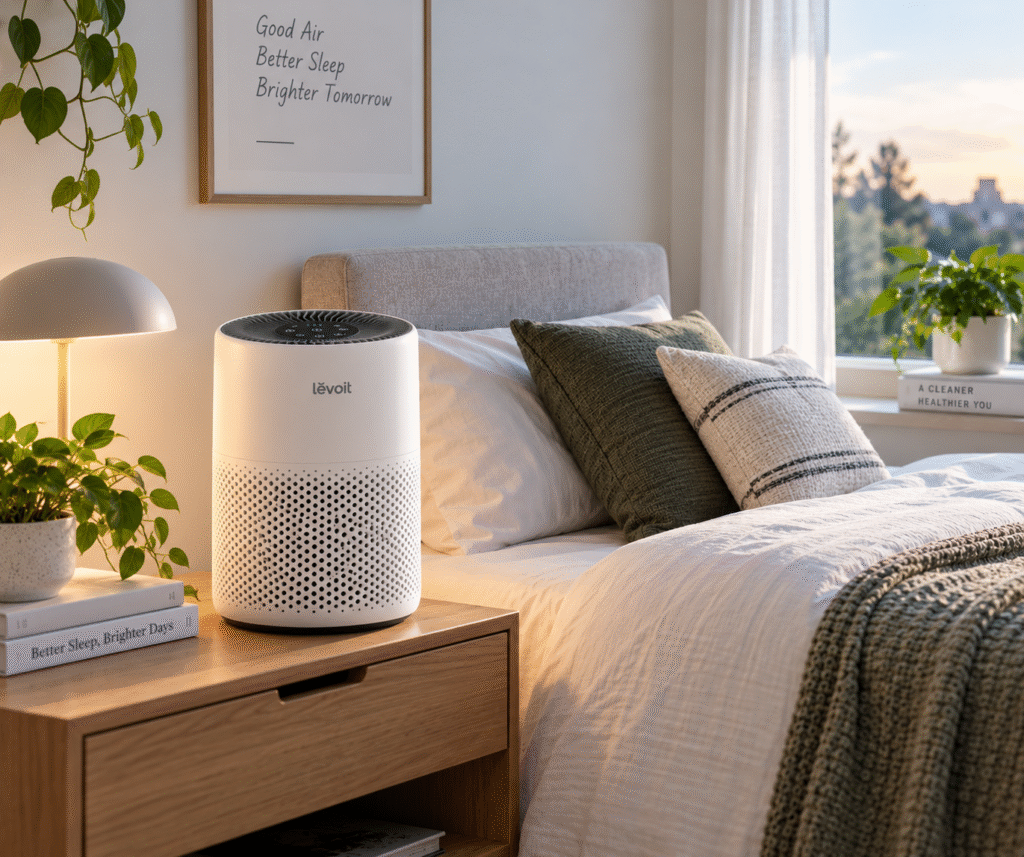
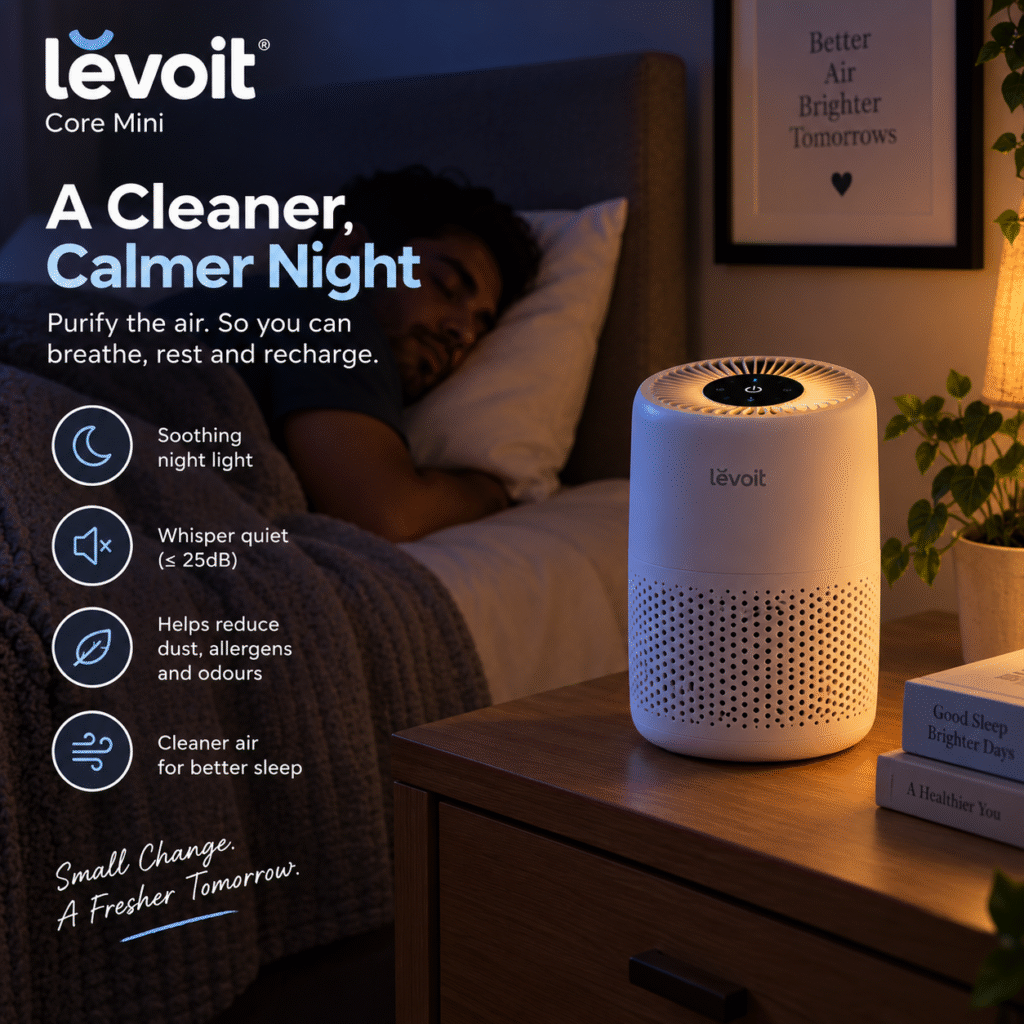
The Core Mini keeps the same clean, minimalist look Levoit is known for, just shrunk down. It’s genuinely compact, small enough to sit on a nightstand or desk without dominating the space  and the plain control panel means there’s no confusing setup process. A soft night light doubles as a subtle glow for bedrooms, and the whole unit is light enough to move between rooms without any hassle, which suits its role as a personal-space purifier rather than a fixed room fixture.

Filtration and Performance

This is where it’s important to be upfront about what the Core Mini is and isn’t. It uses a 3-stage filtration system, a pre-filter to catch larger particles like hair and dust, a main filter, and activated carbon for odours  but unlike Levoit’s larger Core models, it does not use a certified True HEPA filter. Independent testing puts its clean air delivery rate (CADR) in the roughly 34–46 CFM range, which is modest, but entirely appropriate for the small spaces it’s designed for.

In practical terms, that translates to effective air changes in rooms up to roughly 60–100 square feet  think a bedroom, home office, or nursery, not an open-plan living room. Independent smoke testing found it capable of clearing a small test space of visible smoke, which is a genuinely positive result for a purifier this size, though it’s worth setting expectations accordingly: this isn’t the unit to reach for if you’re trying to purify a larger, open living space.

The Aroma Pad: A Nice Extra

One feature that sets the Core Mini apart from most budget purifiers is its built-in aroma pad, which lets you add a few drops of your own essential oil for a light scent alongside the filtered air. It’s a small touch, but it’s the kind of detail that makes the Core Mini feel a little more considered than a plain fan-and-filter box, especially for bedroom or nursery use where a subtle scent is genuinely appreciated.

Noise and Energy Use

If quiet operation matters to you and for a bedside unit, it usually does. Independent testing measured it at around 41–42 dBA on its lowest speed, quiet enough to run overnight without being intrusive. It’s also impressively energy-efficient, drawing around 7 watts of power, which works out to a genuinely negligible running cost over a year of continuous use.

Filter Maintenance

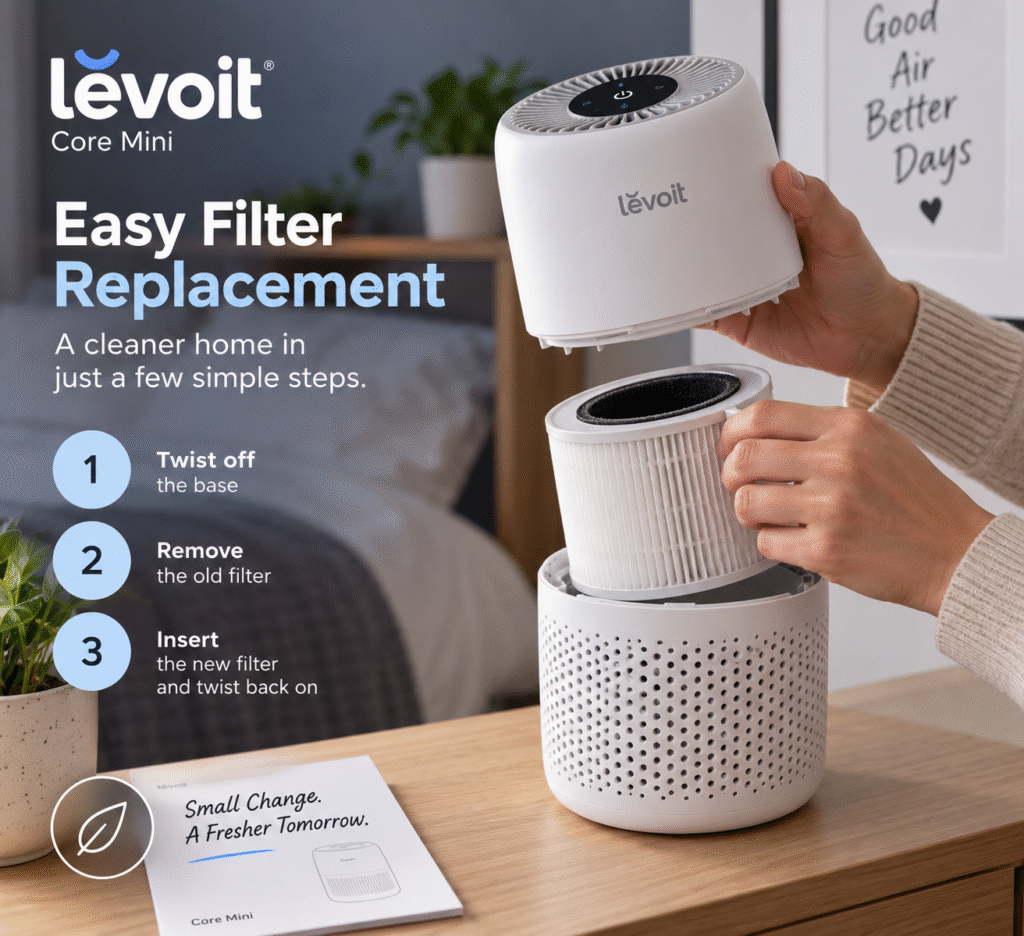
The Core Mini uses a dedicated Core Mini-RF replacement filter, generally priced in the £15–£25 range, with most owners replacing it every 6–8 months depending on usage. That’s a reasonable ongoing cost for a unit in this price bracket, and genuine Levoit filters are widely available rather than being a hunt.

“See current pricing on the Levoit Core Mini →”

Pros and Cons

Pros:

  • Genuinely quiet — ideal for bedrooms and nurseries
  • Very low energy consumption
  • Compact, minimalist design fits anywhere
  • Unique aroma pad feature for light scenting
  • No ionizer — just efficient fan and filter design
  • Affordable filter replacements

Cons:

  • Not a True HEPA filter, unlike larger Core models
  • Limited to small rooms (roughly 60–100 sq ft)
  • Won’t handle heavy smoke, large spaces, or strong odours
  • Fewer advanced features than pricier Levoit models

Who Is the Levoit Core Mini For?

This is the right pick if you want a dedicated, quiet air purifier for a single small room, a bedroom, nursery, home office, or student room and don’t need it to double up for a larger living space. As a small air purifier UK buyers are searching for specifically, it fits that brief well. If your goal is purifying an open-plan kitchen-diner or a larger living room, you’ll want to look at Levoit’s larger Core models instead, which trade the compact size for genuinely higher CADR and True HEPA filtration.

Final Verdict

The Levoit Core Mini doesn’t try to be more than it is, and that honesty is exactly why it works. As a Levoit air purifier built specifically for personal, small-space use, it delivers quiet, energy-efficient, genuinely effective air cleaning within its intended room size. Just go in with realistic expectations about coverage, and it’s one of the smartest small-space picks available.

Smart Homes
Transforming Traditional Appliances to Smarter Appliances with Intelligent Technology
Smart Appliances

Smart Appliances changes our lives in every simple thing which we do/complete. Technologies or mobile phones are increasingly used to control once manual procedures. Some of the most noticeable changes have been in our homes, especially in our everyday appliances.

The transition from traditional to smart appliances for everything from cleaning to cooking has made life simpler, safer, and more affordable.

This blog discusses how to upgrade or adapt your appliances with smart technology. And looks at the advantages of doing so.

Why to Buy Smarter Appliances for my House?

People have shifted to smart appliances for a variety of reasons. And the advantages are even more than what you imagine!

  • It Is Practical
    Speech commands, computerized devices, and remote control; all of these features of intelligent appliances. Imagine preheating your oven on your way home or turning on your washing machine while you’re at work.
  • Efficiency of Energy
    Smart appliances monitor and decrease on water and power use. This eventually reduces utility costs and helps the environment.
  • Customization
    These smart devices learn your habits and adjust to your preferences. For example, your smart coffee machine might prepare the perfect cup at the exact time you want it.
  • Safer and Secured
    Features like leaking alarms, overheat detection, CCTV cameras and auto shut-off can help prevent accidents and costly damage to your home.
  • Tracking
    By having notifications and performance statistics sent to your phone, you can be informed about maintenance, usage, and issues that need to be addressed.
Enhancing the Experience: The Advantages of each Corner in your House 

Let’s look at how innovative technology can be used to change various parts of the house. There are smart upgrades everywhere, from your bedroom to your kitchen.

1.Cooking and Cleaning the Kitchen
 

Intelligent Fridges and Freezers
These refrigerators, which include touchscreens, cameras, and temperature control. It lets you check what’s inside from your phone and receive alerts when time is up. 

Smart Ovens and Microwaves
Some kinds of these appliances can even detect what you’re cooking and automatically select the ideal temperature and time. They can also be remotely preheated.

Coffee Makers
Make coffee while you’re in bed or plan it for your morning ritual. Depending on your tastes, some machines can even change the brew strength.

Intelligent Dishwashers
These are efficient and environmentally beneficial since they can determine how dirty your dishes are and modify the water usage accordingly.

2. Comfort and Cozy in the Living Rooms
  • Intelligent Televisions
    With voice search, built-in apps, and streaming features, smart TVs offer hands-free operation and personalized recommendations.
  • Systematic Lighting 
    You can set routines, adjust the colors, and dim the lights with voice assistants like Google Home or Alexa. You may also create mood lighting settings for different times of the day.
  • Smarter Plugs and Switches 
    Any everyday machine, including fans or lamps, can be made smart with a Wi-Fi-capable connector. These let you remotely turn devices on and off and set timers.
3. Innovative Bedrooms

Clever Thermostats
These gadgets/appliances automatically regulate the temperature for maximum comfort and energy efficiency based on your sleeping patterns.

Automatic Curtains
You can program your curtains to open at sunrise or open them with a voice command.

Monitors for the Air Quality
Track dust, allergens, temperature, and humidity to keep your home air clean. This is especially useful for people who have asthma or allergies.

How About A Better Bathroom and Laundry Area?

Bathrooms and laundry rooms are becoming smarter, cleaner, and more efficient thanks to intelligent technology.

Bathroom smart showers that have timers can save water usage while heating water to the temperature you choose. These days, smart toilets have features like automated flushing, heated seats, and self-cleaning that enhance comfort and hygiene. Intelligent mirrors can display the time, the weather, or reminders while you’re getting ready.

The laundry rooms with smart washers and dryers are linked to smartphone apps, allowing for remote management, cycle updates, and usage tracking. They also adjust the amounts of water and detergent based on the load size to improve performance and conserve energy.

AI Washing Machine

Benefits to Consider And Remember:

  • Alerts and remote app control
  • Monitoring water and energy use
  • Washing settings that automatically adjust
  • Timer-equipped preheated showers
  • Display-equipped smart mirrors
  • Clean, hands-free toilet operations
Things to Remeber

Before you add smart appliances in your home, you need take a few practical factors to consider and remember. Always confirm that a new item works with the smart home system you currently have, such as Alexa, Google Home, or Apple HomeKit. Your Wi-Fi connection should also be strong and reliable because most smart features depend on a consistent internet connection.

Privacy and security should not be ignored at all !

Selecting trustworthy suppliers who offer regular software updates and strong data protection will make your information safer and makes you secured.
The budget is another factor to take into account. You don’t have to automate every room of your house at once. Work your way up to high-impact areas like lighting or climate control by starting small.

Additionally, make sure the appliances are user-friendly if there will be other people in the house utilizing them. A simple setup procedure and a well-designed mobile app can make a big difference.

Having smart appliances in your home will make life easier, boost productivity, and provide you more control over your environment.

It’s not about keeping up with the latest trends in technology. Whether it’s a smart plug, a voice-activated coffee maker, or a refrigerator that reminds you what to buy, every upgrade makes your home more connected and convenient.

It’s not necessary to complete everything at once. As you observe the consequences, start with one small change and gradually increase it. Eventually, you’ll design a space that works for you and is responsive. Intelligent appliances are becoming a practical and significant part of modern living, rather than a luxury.

This is your next step; it’s not rocket science. Imagine walking into a home that can respond to voice commands, brew coffee before you wake up, and provide you real-time information.

Converting your space into an intelligent, responsive environment is not only exciting, but it’s also addictive. Once you’ve experienced the ease, convenience, and control of intelligent living, you won’t want to go back.

Instagram